
Back to All Applications
EditraPDF Icon

EditraPDF

100% Offline Mobile PDF Utility • Free Trial

A complete, desktop-grade 100% offline PDF utility. Add custom text, geometric shapes, images, and verified electronic signatures. Manage documents with visual page reordering, page deletion, splitting large files, and merging multiple PDFs. Zero cloud uploads, complete privacy, and a 3-day free trial included.
100% Offline Processing
3-Day Free Trial
Full Suite Text • Shapes • Delete • Sign
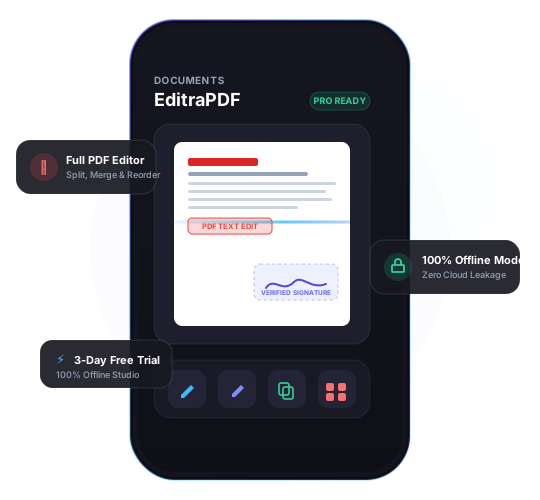
EditraPDF User Interface
100% Offline Editor Toolkit

Complete PDF editing,
completely offline.

Engineered with dedicated modular partitions: add text, shapes, images, e-signatures, split, merge, reorder, and delete pages.

Add Text, Shapes & Images

Overlay custom text with tailored fonts, sizes, and colors. Insert geometric shapes (rectangles, circles, arrows, callouts), and stamp images or logos directly onto any page with precision.

PDF Split & Extract

Split large PDF files by page ranges or chapters. Extract individual sheets into standalone documents, or separate multi-page scans into organized files in seconds.

PDF Merge & Combine

Combine multiple PDF documents, reports, and images into a single cohesive file. Re-arrange files before merging to maintain clean presentation structure.

PDF Reorder & Delete Pages

Visual thumbnail workspace to organize your document. Drag and drop to reorder sequence, rotate pages, or delete unneeded pages with a single tap.

PDF Signature & Form Fill

Draw, type, or import verified electronic signatures. Fill interactive PDF form fields, add date stamps, and embed cryptographic tamper-evidence into contracts.

100% Offline & Private

Works everywhere without internet connection. Your confidential documents never leave your device and are never uploaded to any remote server or cloud service.

Specifications

Technical specifications &
offline architecture.

Engineered natively to execute complex PDF operations locally on iOS with zero cloud overhead.

Apple iOS Requirements
iOS 16.0+

Optimized for iPhone & iPad Pro

Platform Availability
iOS Ready

Exclusively on iOS (Android in development)

Offline Capability
100% Offline

No internet connection or account required

Trial & Pricing
3-Day Free Trial

Then $29.99/year (yearly subscription only)

3-Day Free Trial

Experience Pro features
with a 3-day free trial.

Test the complete 100% offline PDF editor suite risk-free. Cancel anytime before the trial ends.

Standard Edition

Free forever

Essential PDF utilities for daily viewing and basic adjustments.

Full-featured PDF viewer & page browser
Basic handwritten electronic signatures
Highlighting, pencil drawings & notes
100% Offline on-device privacy
Add Text, Shapes & Images Overlay
Unlimited PDF Split, Merge & Page Deletion
Download Standard Free

EditraPDF Pro

3 Days Free then $29.99/year

Complete offline toolkit: Add Text, Shapes, Images, Sign, Split, Merge & Delete. Yearly subscription only.

3-Day Free Trial with full Pro access
Yearly Subscription: $29.99/year (no monthly subscription)
Add Text, Shapes & Images: Custom typography, geometric callouts & stamps
PDF Split & Extract: Separate pages & custom ranges
PDF Merge & Combine: Join unlimited files & images
Page Reorder & Delete: Drag & drop organizer with one-tap page deletion
PDF Signature: Cryptographic tamper-proof signatures
100% Offline: Zero cloud upload, total air-gapped privacy
Priority 24/7 developer direct support
Start 3-Day Free Trial
Support & Answers

EditraPDF Questions

Common questions regarding EditraPDF editor features, offline security, free trial, and licensing.

Yes, 100%. EditraPDF is an offline-first mobile application. Adding text, shapes, images, signatures, document splitting, merging, page deletion, and reordering occur strictly on your device processor. Zero data is transmitted to external servers or cloud services. You can use it freely without Wi-Fi or cellular data.
You receive full, unrestricted access to all EditraPDF Pro features for 3 days at no charge. Following the 3-day trial period, access continues via the yearly subscription at $29.99/year (with no monthly commitment). Test adding custom text, shapes, images, unlimited merging and splitting, page deletion, visual page reordering, and legal digital signatures risk-free. You can cancel anytime directly in your Apple ID / App Store subscription settings before the trial concludes.
Yes! EditraPDF allows you to add custom text overlays with tailored fonts and colors, insert geometric shapes (rectangles, circles, arrows, callouts), insert images or photos, apply legal electronic signatures, and delete unwanted pages with a single tap. It does not alter existing embedded print text inside flattened PDFs, ensuring document integrity.
EditraPDF provides an intuitive visual page grid. You can drag and drop page thumbnails to reorder sequence, rotate pages, extract selected sheets into new PDFs with PDF Split, or combine multiple separate PDF documents and images into one organized file with PDF Merge.
EditraPDF is currently available exclusively on iOS for iPhone and iPad. Our engineering team is actively building the Android edition with identical 100% offline capabilities. Stay tuned for future release announcements!
Yes. Signatures generated within EditraPDF comply with global electronic signature frameworks (including the US ESIGN Act and European eIDAS regulations), generating tamper-evident cryptographic verification stamps locally on your device.
Open EditraPDF Settings on your new iPhone or iPad and tap "Restore Purchases". Because purchases and trials are tied to your Apple ID, your Pro status is restored instantly at no additional cost.

Still have questions about EditraPDF?

Our dedicated technical team is available to assist you directly.

Email EditraPDF Support →